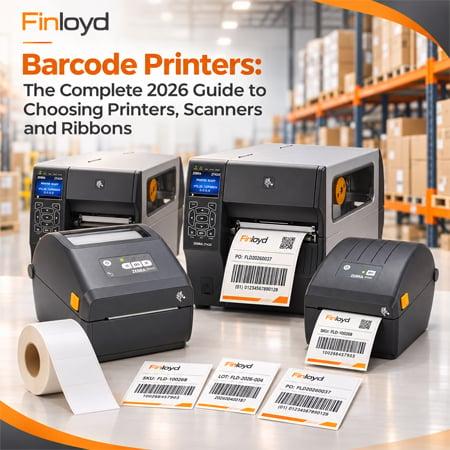
Quick answer: For most Saudi businesses, the right barcode printer is a 4-inch Zebra desktop model. The Zebra ZD230 is the simple, affordable choice for shipping and shelf labels at 203 dpi. The Zebra ZD421 adds an optional 300 dpi head for small retail and pharmacy barcodes, Bluetooth, and plug-in Ethernet or Wi-Fi. Warehouses and factories printing across shifts need an industrial printer such as the Zebra ZT421. Choose thermal transfer for any label that will face Saudi summer heat, and direct thermal for short-life shipping labels. The ZD421 and ZD230 replace the older GK420 and GC420.
Step 1: Direct thermal or thermal transfer?
Every barcode printer uses one or both methods, and this choice matters more than the brand.
- Direct thermal prints on heat-sensitive labels with no ribbon. It is cheaper to run, but the label keeps reacting to heat and light, so it darkens or fades. Use it for courier waybills, receipts and labels that live for a few weeks indoors.
- Thermal transfer melts ink from a ribbon onto the label. The print does not fade from heat, and it works on synthetic labels that resist water, oil and abrasion. Use it for product, shelf, asset, pharmacy and warehouse labels.
The Saudi rule of thumb: summer temperatures in Riyadh and Dammam pass 45 °C, and the inside of a parked delivery van or an uncooled warehouse gets far hotter. If a label leaves an air-conditioned room for more than a short trip, or must last more than a few weeks, print it thermal transfer. Both the ZD230 and ZD421 come in direct thermal (“d”) and thermal transfer (“t”) versions; buy the “t” version and you can run either method.
Step 2: Choose the resolution (dpi)
A printer can only make bars a whole number of dots wide, and GS1 sets the minimum bar width for retail barcodes. That decides the dpi you need.
| Resolution | Dot size | What it means | Use for |
|---|---|---|---|
| 203 dpi | 0.125 mm | Smallest GS1-compliant EAN-13 is about 113% of standard size | Shipping, carton, pallet and most product labels |
| 300 dpi | 0.085 mm | EAN-13 close to standard size; clean small 2D codes and small Arabic text | Small retail products, pharmacy, cosmetics, small DataMatrix codes |
| 600 dpi | 0.042 mm | Very fine detail | Electronics, jewellery, laboratory tubes |
If your packaging leaves little room for the barcode, or you print Arabic text in small sizes, choose 300 dpi. The ZD421 is available at 300 dpi; the ZD230 is 203 dpi only.
Step 3: Desktop or industrial?
- Desktop printers (ZD230, ZD421) are compact and quiet, print 4-inch labels, and suit shops, pharmacies, clinics, e-commerce packing desks and small warehouses on a single shift.
- Industrial printers (ZT421) have metal frames, take large label rolls and long ribbons, and run across multiple shifts in distribution centres and factories.
Running a desktop printer near its limit every day wears out the printhead. If you print thousands of labels a day across shifts, buy industrial.
Zebra ZD230 vs ZD421 vs ZT421
| Spec | Zebra ZD230 | Zebra ZD421 | Zebra ZT421 |
|---|---|---|---|
| Class | Entry desktop | Advanced desktop | Industrial |
| Print width | 4 in (104 mm) | 4 in (104 mm) | 6-inch class |
| Print methods | Direct thermal or thermal transfer | Direct thermal or thermal transfer | Direct thermal and thermal transfer |
| Resolution | 203 dpi | 203 dpi; 300 dpi optional | 203 or 300 dpi |
| Max speed | 152 mm/s (6 ips) | 152 mm/s (6 ips) at 203 dpi | 305 mm/s (12 ips) |
| Connectivity | USB; Ethernet on some models | USB, USB host, Bluetooth LE; plug-in Ethernet or Wi-Fi | USB, serial, Ethernet, Bluetooth, dual USB host |
| Printer languages | ZPL and EPL | ZPL and EPL | ZPL and EPL |
| Build | Dual-wall plastic | Dual-wall plastic; healthcare version available | Metal frame, 4.3-inch colour touch display |
| Replaces | Zebra GC420 | Zebra GK420 | Zebra ZT420 and ZM600 |
| Best for | Shipping labels, shelf labels, small shops | Retail, pharmacy, clinics, e-commerce, small warehouses | Warehouses, factories, logistics hubs |
Zebra ZD230: the simple workhorse
The ZD230 does the essentials: 4-inch labels at 203 dpi and 6 inches per second, one button, one status light, and ZPL and EPL support so it drops into systems built for older Zebra printers. It is the right choice for courier labels at a packing desk, shelf-edge labels and basic product labels.
Zebra ZD421: the flexible upgrade
The ZD421 is the printer most Saudi businesses should buy. It adds an optional 300 dpi head for small barcodes and Arabic text, Bluetooth for printing from phones and tablets, a slot for plug-in Ethernet or Wi-Fi, and field-installable options such as a peeler or cutter. A healthcare version with a disinfectant-ready housing suits hospitals and pharmacies. It is the direct replacement for the popular GK420.
Zebra ZT421: for warehouses and factories
The ZT421 is an industrial printer with a metal frame, a 4.3-inch colour touch display and speeds up to 12 inches per second at 203 or 300 dpi. It takes large media rolls and long ribbons, so it runs across shifts with fewer changeovers.
Still using a Zebra GK420 or GC420?
Both have been replaced: the GK420 by the ZD421 and the GC420 by the ZD230. The new models speak the same ZPL and EPL printer languages, so existing label formats usually work without changes. If your GK420 needs a printhead, compare the repair cost with a new ZD421 first.
Ribbons and labels in one table
| Ribbon | Pairs with | Use for |
|---|---|---|
| Wax | Uncoated paper labels | Shipping, carton and general warehouse labels |
| Wax-resin | Coated paper, some synthetics | Product, pharmacy and labels handled often or stored warm |
| Resin | Polyester, polypropylene | Asset tags, outdoor, chemical, cold-chain labels |
Choose a ribbon slightly wider than the label, and check that its winding (ink side in or out) matches your printer. If print smudges when you rub it, move up one ribbon level.
Saudi rules that affect your printer choice
- Product barcodes: retail barcode numbers (GTINs) are licensed from GS1 Saudi Arabia. The printer prints the number; it does not create a valid one.
- Medicines: the Saudi Food and Drug Authority’s track-and-trace system requires a GS1 DataMatrix on medicine packs. That needs a 300 dpi printer for small codes and 2D scanners to read them.
- Arabic labels: many products sold in Saudi Arabia need Arabic on the label. Test your printer and label software with your real Arabic text before you buy.
- Receipts: ZATCA e-invoices carry a QR code, so receipt printers must print QR codes cleanly.
Scanners that can read what you print
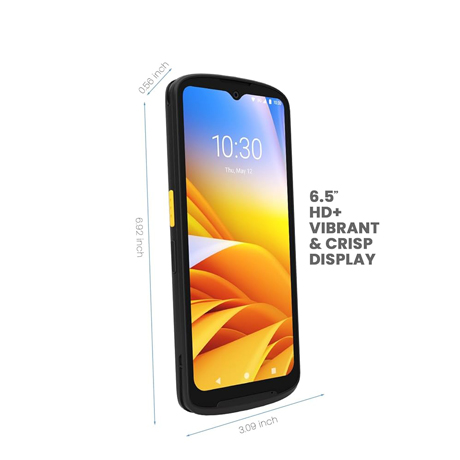
Laser scanners read only 1D barcodes. If you print or receive 2D codes such as QR or GS1 DataMatrix, choose a 2D imager or a mobile computer such as the Zebra TC15. Retail checkouts are moving to 2D codes, so a 2D scanner is the safer buy today.
Which printer for your business?
| Business | Choose |
|---|---|
| E-commerce packing desk, courier labels | ZD230 direct thermal |
| Shop shelf labels and price tags | ZD230 thermal transfer |
| Pharmacy, cosmetics, small retail products | ZD421 at 300 dpi, thermal transfer |
| Hospital or clinic specimen and patient labels | ZD421 healthcare version |
| Small warehouse, single shift | ZD421 thermal transfer |
| Distribution centre or factory, multiple shifts | ZT421 |
Supply and service in Saudi Arabia
Finloyd has supplied POS and labelling equipment in Saudi Arabia since 2008. Our teams in Riyadh, Jeddah and Al Khobar supply Zebra barcode printers, scanners, ribbons and labels, connect printers to your POS, ERP or warehouse system, and test Arabic labels on your real products before you buy.
Frequently asked questions
What is the best barcode printer for a small business in Saudi Arabia?
A 4-inch Zebra desktop printer. The ZD230 is the affordable choice for shipping and shelf labels; the ZD421 adds 300 dpi, Bluetooth and network options for retail and pharmacy labels.
What replaced the Zebra GK420?
The Zebra ZD421. The GC420 was replaced by the ZD230. Both new models use the same ZPL and EPL printer languages, so existing label formats usually work unchanged.
What is the difference between the Zebra ZD230 and ZD421?
Both print 4-inch labels at 6 inches per second. The ZD421 adds an optional 300 dpi head, Bluetooth, plug-in Ethernet or Wi-Fi, field-installable options and a healthcare version. The ZD230 is 203 dpi with USB.
Is direct thermal or thermal transfer better in Saudi Arabia?
Direct thermal suits short-life indoor labels such as courier waybills. For anything exposed to heat, stored for months or carried in vans, thermal transfer is safer, because direct thermal labels darken in Saudi summer heat.
Do I need 203 or 300 dpi?
203 dpi suits shipping, carton and most product labels. Choose 300 dpi for small retail barcodes, small 2D codes such as GS1 DataMatrix, and small Arabic text.
Can a barcode printer print Arabic?
Yes, through label design software. Test with your real Arabic product text before buying, especially at small sizes, where a 300 dpi printer gives cleaner results.
When do I need an industrial barcode printer?
When you print thousands of labels a day, across more than one shift, or need large label rolls. The Zebra ZT421 has a metal frame and prints up to 12 inches per second.
Where can I buy Zebra barcode printers in Saudi Arabia?
Finloyd supplies, installs and services Zebra barcode printers, scanners, ribbons and labels from Riyadh, Jeddah and Al Khobar. Call Jeddah +966 50 844 0075, Riyadh +966 50 003 2928 or Al Khobar +966 55 721 2191.
Not sure which printer you need? Send us a sample of your label and tell us how many you print a day, and we will recommend the printer, ribbon and label. See POS machines and barcode printers.