ID card printers can be complicated pieces of equipment and from time to time, you might run into some issues. Understandably, this can become pretty frustrating.
As the ID experts, we’re here to help. In this blog post, we’re looking at the most common ID card printer faults and how to fix them. Let’s begin.
The most common ID card printer problems and how to fix them
Poor print quality
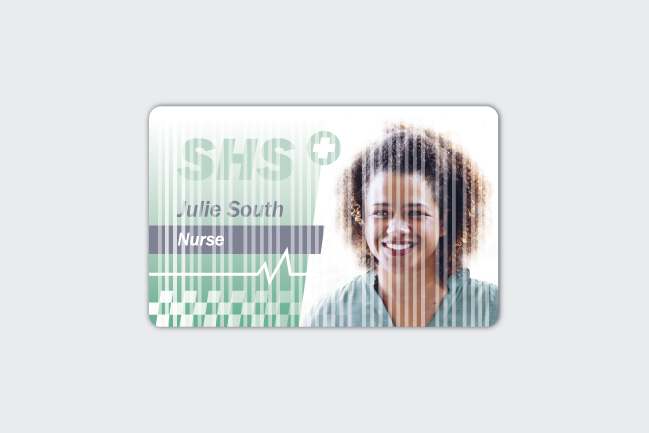
Whether it’s white lines or bumps or spots appearing on your ID cards, seeing any defects can be extremely frustrating, not to mention expensive if you have to reprint cards. It’s important to note that streaky cards occur when the machine hasn’t been able to reach these areas and not because the printer is printing white ink down cards. There are various potential causes of poor print quality, including dust or debris getting stuck in your printer or using bad quality cards or consumables.
How to fix poor print quality:
- Clean the ID card printer and printhead with a compatible cleaning kit
- Check the printer power supply to make sure the machine is getting enough power
- Only use high quality, compatible plastic cards and consumables with your printer
ID card jams
Just like regular printers can be prone to paper jams, ID card printers can be prone to card jams. A card jam can occur if dirt gets stuck in your machine, or if the cards you’re printing on are too big or too small for the printer.
How to fix an ID card jam:
- Open the printer cover and locate the jam. Try turning the machine’s rollers to release the card
- Clean your ID card printer to ensure there is no excessive build-up of dust or debris
- Check which size cards are compatible with your printer. Most printers accept CR80 credit card sized cards, so if you’re using CR79 cards, your printer may not be compatible. You can check the printer’s specification sheet to see what size cards the machine accepts.
ID card printer not connecting
It can be pretty annoying when your printer doesn’t connect. Printer connection issues can be caused by a few things, including the wrong power supply being used or improper driver installation.
How to fix ID card printer connection issues:
- Make sure you are using the correct power supply
- Check that the ID card printer driver has been downloaded correctly
Broken printer ribbon
If your printer ribbon breaks prematurely, this might be a symptom of another underlying issue. Before replacing the ribbon, you might want to consider doing the following to prevent any future ribbons from breaking.
How to prevent a broken printer ribbon:
- Make sure the ribbon is inserted properly into the machine
- Check that the ribbon you are using is compatible with your printer model
- Only use genuine card printer ribbons
- Regularly clean your ID card printer to stop dust or debris from building up in the machine
Faulty printhead
A faulty printhead can cause further print quality issues and can even lead to expensive repair costs. Follow the below tips to prevent a faulty printhead from occurring in the future.
How to prevent a faulty printhead:
- Regularly clean the machine and printhead to prevent the build-up of any dirt
- Only use a retransfer printer to print onto access control cards. The raised chip of these cards can damage the printhead of a direct to card printer if direct contact is made.
Now that we’ve discussed the most common ID card printer issues and how to fix them, you should have an understanding of what to do if any of the above issues occur. You’ll also have an insight into how to prevent the above issues from happening.
Let’s have a quick recap.
In a nutshell, here’s how you can prevent most ID card printer issues:
- Regularly clean your ID printer and printhead
- Make sure you are using the correct power supply
- Only use genuine, high quality cards, ribbons and consumables
- Only use products that are compatible with your printer
- Check that your printer driver and firmware have been downloaded correctly
Alternatively, we offer a professional photo ID card printing service that allows you to sit back and relax while we print your cards for you. Our 5 star service is ideal for those printing low volumes of ID cards or only issuing cards a few times a year.
From design to print to delivery, our team takes care of the whole process. Don’t just take it from us, the results speak for themselves. We’ve issued over 1 million printed cards so far and are ready to print our next million, and more.
Whether you decide to go for an ID card printer or opt to use our service, you’re sure to receive excellent service and outstanding results, every time.
The Experts in Photo ID Card Printing Solutions
We’ve helped over 25,000 customers choose the best ID card printers and printing solutions for their requirements since 2008. We’d love to help you, too.
Every ID card printer purchased with Finloyd comes with free lifetime email support, a video tutorial library and free online support for the first 2 Years, 1 Free Visit. We also have additional support packages available to purchase, giving you complete peace of mind. Support packages include priority telephone support, an annual printer service to ensure the machine is working correctly and much more.