
Quick answer: The best time attendance system is the one that fits your workforce, sites, shifts and payroll, not the one with the longest feature list. For most Saudi businesses, that means:
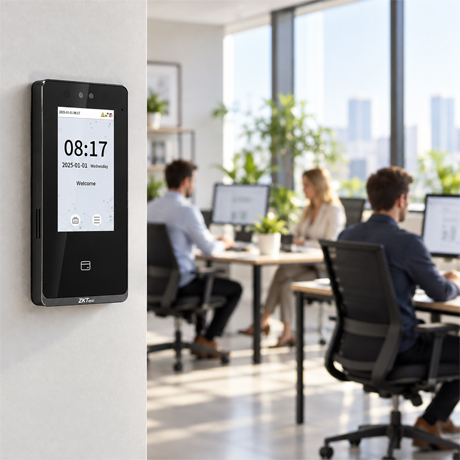
- a face recognition terminal at each entrance, such as the ZKTeco SenseFace 4 or SpeedFace M4;
- web-based attendance software such as BioTime 8.5 to apply shift, overtime and leave rules and export to payroll;
- a mobile terminal such as the Horus H1 for field and site teams.
Small offices can start with the MB10 or MA100. Outdoor gates need a weatherproof device such as the TF1700 Outdoor.
Finloyd (AlRawda Office Trading Co. Ltd.) is the No. 1 supplier of time attendance and face recognition devices in Saudi Arabia since 2008, serving businesses in Riyadh, Jeddah and Al Khobar.
Key Takeaways
- The device captures the punch, and the software creates the value. Shift rules, overtime, leave and payroll export matter as much as the terminal.
- Face recognition is the 2026 default for offices and busy entrances: touchless, fast, and it ends buddy punching.
- Fingerprint remains a cost-effective choice for small, fixed sites. Card suits sites where it doubles as the door credential.
- Saudi rules shape the setup: working-hour limits, Ramadan hours, overtime at +50% of basic wage, WPS payroll files and PDPL rules for biometric data.
- Plan for growth: choose user and record capacity, branches and integrations for where you’ll be in three years, not where you are today.
Paper registers and Excel sheets don’t survive a growing business. Late arrivals go unrecorded, colleagues clock in for each other, overtime is argued over every month, and HR spends days preparing payroll. A modern time attendance system fixes all of this, but only if you choose the right combination of device, software and setup. This guide shows you how.
What Makes a Time Attendance System “the Best”?
A great system delivers five things:
- Identity: it proves who clocked in, not just which card did.
- Accuracy: every punch is recorded, timestamped and impossible to edit without an audit trail.
- Automation: shift, overtime, late, early-exit and leave rules are calculated automatically.
- Visibility: managers see who’s in, who’s late and who’s absent in real time, across every branch.
- Integration: clean data flows into HR and payroll without retyping.
How a Time Attendance System Works
- Enrol: each employee registers their face, fingerprint, palm or card once.
- Punch: the employee clocks in and out at a terminal or mobile device.
- Sync: the terminal sends the record to the attendance software over the network.
- Apply rules: the software matches punches to shifts and calculates hours, lateness, overtime and absence.
- Review exceptions: HR handles missed punches, leave and approvals.
- Export: approved hours go to payroll and reports.
Types of Time Attendance Systems
| Type | How it works | Best for | Things to consider | Finloyd models |
|---|---|---|---|---|
| Face recognition | Camera matches the face, touchless | Offices, busy entrances, clinics, food sites | Placement and lighting; PDPL consent | SenseFace 3, SenseFace 4, SpeedFace M4, MB2000, MB10, MA100 |
| Fingerprint | Sensor matches the fingerprint | Small fixed sites, budget projects | Contact-based; worn or dirty fingers | TF1700, MB10, MB2000, SenseFace 3A/4A |
| Palm | Camera reads palm patterns | Industrial sites, gloves and dust | Fewer models | SpeedFace M4 (palm, customized) |
| Card (RFID) | Employee taps a card | Sites using the same card for doors | Cards can be lent or lost | TF1700, SenseFace, SpeedFace M4, MB series |
| Mobile / GPS | Handheld or app with location | Construction, field teams, remote sites | Device and connectivity; location policy | Horus H1; BioTime 8.5 mobile app |
| Software | Applies rules and reports | Every business | Configuration effort | BioTime 8.5 |
| Hybrid | Combines several methods | Mixed workforces, multiple sites | Careful planning | Any mix of the above |
Face vs. Fingerprint vs. Card: Which Identification Method?
| Face recognition | Fingerprint | Card | |
|---|---|---|---|
| Stops buddy punching | Yes | Yes | No |
| Touchless | Yes | No | Yes |
| Speed | ≤0.35 s on SenseFace 3/4 | ≤0.5 s on SenseFace 3A/4A | Instant |
| Works with gloves / dirty hands | Yes | Poorly | Yes |
| Works with mask, hijab, ghutra | Yes, on modern terminals | Not affected | Not affected |
| Biometric data (PDPL) | Yes | Yes | No |
| Best for | Offices, clinics, high traffic | Small fixed sites | Shared door + attendance credential |
Our view: for most offices in 2026, face recognition is the right default. Choose fingerprint for small budgets and simple sites, palm where gloves are common, and card when you also need a door credential. Many Finloyd terminals combine several methods, so you don’t have to pick just one.
Saudi Requirements Your System Must Handle
A system built for another market may miss what Saudi HR teams need every month:
- Working hours: the Saudi Labour Law sets standard limits of 8 hours a day or 48 hours a week. Your software must flag anything over the limit.
- Ramadan hours: working hours for Muslim employees are reduced to 6 hours a day (36 a week) during Ramadan. Your system needs a separate Ramadan schedule you can switch on and off.
- Overtime pay: overtime is paid at the basic wage plus 50%, so overtime must be calculated precisely and approved before payroll.
- Weekends and rotating rosters: retail, hospitality, healthcare and security often run 24/7 shifts, split shifts and night shifts that cross midnight.
- Payroll and WPS: payroll is paid through the Wage Protection System (via Mudad), so clean attendance data must feed payroll. BioTime 8.5 includes payroll management with a WPS report. Confirm the file format with your bank or payroll provider.
- PDPL and biometric data: under Saudi Arabia’s Personal Data Protection Law, face and fingerprint templates are sensitive personal data. You need explicit employee consent, secure storage, restricted access and a deletion policy.
- Multi-branch management: head office in Riyadh, branches in Jeddah and Al Khobar, with one dashboard for all.
- Heat and dust: outdoor gates, warehouses and construction sites need IP-rated devices, installed in shade, with protective covers.
General guidance only, not legal advice. Check current regulations with your HR or legal adviser.
Finloyd’s Time Attendance Range: Which Device for Which Need?
Entry level: small offices and shops
MB10: compact multi-biometric terminal
The MB10 is an affordable way to replace paper registers.
- Verification: face, fingerprint, RFID card and password
- Capacity: 200 faces, 500 fingerprints, 1,000 cards; under 400 users
- Records: 50,000
- Communication: TCP/IP, USB host
- Best for: small offices, shops, clinics and restaurants
MA100: face ID attendance device
The MA100 is a simple, reliable terminal with Arabic and English responses.
- Verification: face, fingerprint, card and PIN
- Capacity: up to 1,000 employees
- Records: 50,000
- Speed: under 1 second
- Communication: network or USB connection to your PC
- Reports: daily attendance and absence reports; links with HR systems
- Best for: SMEs, schools and offices that want spoken Arabic and English responses
Mid-range: growing companies
MB2000: multi-biometric terminal for 400+ users
The MB2000 adds capacity and access control for growing teams.
- Verification: face, fingerprint, card, password and combinations
- Capacity: 2,000 faces, 3,000 fingerprints, 3,000 cards; more than 400 users
- Records: 100,000
- Display: 4.3″ TFT
- Communication: TCP/IP, USB host, optional Wi-Fi; BioTime compatible; optional ADMS
- Access control: electric lock, exit button and alarm interfaces
- Best for: mid-size offices, factories and schools
SenseFace 3 Series (3A / 3B): compact touchless face terminal
The SenseFace 3 is a slim, IP65-rated face terminal.
- Verification: 3A: face, fingerprint, card, password. 3B: face, card, password.
- Capacity: 3,000 faces, 6,000 fingerprints (3A), 6,000 users and cards
- Records: 150,000
- Speed: face ≤0.35 s; fingerprint ≤0.5 s; recognition distance 30–200 cm
- Display: 2.8″ touch screen
- Anti-spoofing: rejects fake photos and videos
- Protection: IP65
- Communication: TCP/IP, optional Wi-Fi, Wiegand, RS485
- Best for: offices, clinics and retail branches
Advanced: larger companies and high-traffic entrances
SenseFace 4 Series (4A / 4B): high-capacity face terminal
The SenseFace 4 is built for larger teams, with cloud and video intercom support.
- Verification: 4A: face, fingerprint, card, password. 4B: face, card, password.
- Capacity: 6,000 faces, 8,000 fingerprints (4A), 8,000 users and cards
- Records: 200,000
- Speed: face ≤0.35 s; distance 30–200 cm
- Accuracy: face FAR ≤0.01%; fingerprint FAR ≤0.0001%
- Display: 4.3″ touch screen
- Protection: IP65; operating temperature −5 °C to 45 °C
- Software: ZKBio Time (on-premise) or ZKBio Zlink cloud (web and mobile app)
- Extras: video intercom (SIP), photo capture, anti-passback, schedule bell
- Best for: corporate offices, hospitals and multi-branch companies
SpeedFace M4: face and palm terminal
The SpeedFace M4 adds palm recognition and advanced anti-spoofing.
- Verification: face, palm (customized), card, password
- Capacity: 6,000 faces (optional 10,000), 3,000 palms, 10,000 cards
- Records: 200,000 (optional 500,000)
- Speed: face ≤0.5 s
- Display: 5″ touch screen; 2MP WDR low-light camera
- Anti-spoofing: against printed photos, video and 3D mask attacks
- Protection: IP66; operating temperature −10 °C to 50 °C; optional PoE
- Best for: factories, warehouses, hospitals and sites where gloves make fingerprints impractical
Outdoor and rugged sites
TF1700 Outdoor: weatherproof fingerprint and card terminal
The TF1700 Outdoor is built for gates and outdoor entrances.
- Verification: fingerprint, PIN and card
- Capacity: 3,000 fingerprints (optional 8,000), 10,000 cards
- Records: 50,000
- Protection: IP65; operating temperature −10 °C to 50 °C
- Communication: TCP/IP, RS485, USB host; Wiegand in/out
- Best for: factory gates, compounds, warehouses and construction site entrances
Saudi summer tip: surface temperatures in direct sun can exceed a device’s rated range. Always install outdoor terminals under a canopy or in shade, and add a steel protective cover where vandalism or impact is a risk.
Mobile and field teams
Horus H1: portable attendance terminal
The Horus H1 brings attendance to sites with no fixed terminal.
- Verification: face, optional fingerprint, NFC card and QR code
- Capacity: 50,000 users and faces, 30,000 fingerprints (optional), 50,000 cards
- Records: 1,000,000
- Connectivity: 4G LTE, Wi-Fi, Bluetooth and GPS for location-based attendance
- Battery: 5,200 mAh, up to 5 hours of operation
- System: Android 10; 5.5″ touch screen
- Protection: IP65, rugged casing
- Best for: construction sites, cleaning and maintenance contractors, security guards and field crews
Software and enrolment accessories
BioTime 8.5: web-based attendance and payroll software
BioTime 8.5 turns raw punches into payroll-ready data.
- Platform: web-based, accessed by browser; up to 500 devices per server
- Attendance: real-time data, flexible shift scheduling with auto-shift, roster management, overtime management
- Approvals: multi-level approvals with automatic email alerts
- Payroll: payroll management with a WPS report
- Mobile app: geofenced mobile punches for field staff
- More: employee self-service, visitor and meeting management, multiple admin levels, API integration
- Databases: PostgreSQL, MySQL, Oracle, MS SQL Server; runs on Windows 10 and Windows Server
SecuGen Hamster HU20: USB fingerprint enrolment reader
The SecuGen HU20 lets HR enrol fingerprints at a desk PC.
- Connection: USB
- Security: fake-finger rejection and encrypted templates
- Certifications: FBI-certified FIPS 201 (PIV) image quality
Quick Comparison Table
| Model | Type | Verification | Users / capacity | Records | Protection | Best for |
|---|---|---|---|---|---|---|
| MB10 | Terminal | Face, fingerprint, card, PIN | Under 400 users | 50,000 | Indoor | Small offices |
| MA100 | Terminal | Face, fingerprint, card, PIN | Up to 1,000 employees | 50,000 | Indoor | SMEs, schools |
| MB2000 | Terminal | Face, fingerprint, card, PIN | 400+ users; 2,000 faces | 100,000 | Indoor | Mid-size companies |
| SenseFace 3A/3B | Face terminal | Face, (fingerprint 3A), card, PIN | 6,000 users; 3,000 faces | 150,000 | IP65 | Offices, clinics |
| SenseFace 4A/4B | Face terminal | Face, (fingerprint 4A), card, PIN | 8,000 users; 6,000 faces | 200,000 | IP65 | Large offices, multi-branch |
| SpeedFace M4 | Face + palm terminal | Face, palm, card, PIN | 6,000–10,000 faces; 3,000 palms | 200,000–500,000 | IP66 | Factories, hospitals |
| TF1700 Outdoor | Outdoor terminal | Fingerprint, card, PIN | 3,000–8,000 fingerprints | 50,000 | IP65 | Gates, outdoor sites |
| Horus H1 | Portable | Face, fingerprint (opt.), NFC, QR | 50,000 users | 1,000,000 | IP65 | Field teams |
| BioTime 8.5 | Software | — | Up to 500 devices/server | — | — | Every business |
15 Software Features That Matter
- Flexible shift scheduling, including night shifts that cross midnight
- Auto-shift detection for rotating rosters
- A separate Ramadan schedule
- Overtime calculation with approval workflow
- Late arrival and early exit rules with grace periods
- Break rules
- Leave management and balances
- Missed-punch correction with an audit trail
- Multi-level approvals and email alerts
- Real-time dashboard of who’s in, late or absent
- Multi-branch management with location-level admin rights
- Payroll export, including WPS-ready reports
- Employee self-service for viewing punches and requesting leave
- Mobile app with geofenced punching
- API integration with your HR or ERP system
Best System by Business Type
| Business | Recommended setup |
|---|---|
| Small office or shop (under 50 staff) | MB10 or MA100 + reports |
| Growing company (50–400 staff) | MB2000 or SenseFace 3 + BioTime 8.5 |
| Corporate office or HQ (400+ staff) | SenseFace 4 at each entrance + BioTime 8.5 |
| Multi-branch company | SenseFace 4 per branch + BioTime 8.5 or ZKBio Zlink cloud |
| Hospital or clinic | SenseFace 4 or SpeedFace M4, touchless, with shift rosters |
| Factory or warehouse | SpeedFace M4 (palm/face) + TF1700 at outdoor gates |
| Retail and restaurant chains | SenseFace 3 per branch + central software |
| Construction and field services | Horus H1 + BioTime mobile punches |
| Schools and universities | MA100 or SenseFace 3/4 for staff |
Cloud vs. On-Premise Software
| On-premise (BioTime 8.5) | Cloud (ZKBio Zlink with SenseFace 4) | |
|---|---|---|
| Where data lives | Your own server | Hosted platform |
| Access | Browser on your network or VPN | Web and mobile app from anywhere |
| Control | Full IT control | Less server maintenance |
| PDPL and data residency | Easy to keep in-Kingdom | Check where data is hosted |
| Best for | Companies with IT teams and strict data policies | Smaller teams and multi-branch businesses without IT staff |
Protecting Biometric Data
Before you enrol a single face or fingerprint:
- Collect explicit, written consent from each employee.
- Offer a card or PIN alternative for anyone who declines.
- Store encrypted templates, not raw photos.
- Limit database access to a few authorised admins.
- Delete templates when an employee leaves.
- Keep servers on-premise or in-Kingdom where possible.
Accuracy Starts at Installation
Even the best device fails if it’s installed badly:
- Mount face terminals at the right height, facing away from windows and direct sunlight.
- Enrol carefully, in good light, without masks or sunglasses at enrolment.
- Use a wired network (or PoE where supported) for reliable syncing.
- Configure shifts and rules before go-live, and test them with real scenarios.
- Keep firmware and software updated.
How Much Does a Time Attendance System Cost?
Cost depends on:
- the number of employees and terminals;
- the identification method (face, fingerprint, palm or card);
- software, licensing and number of branches;
- installation, cabling and integration with payroll or ERP;
- outdoor protection, mobile devices and accessories;
- training and support.
Compare total cost of ownership, not just the device price. A cheaper terminal with weak software often costs more in manual corrections.
The return: savings come from ending buddy punching, accurate overtime, fewer payroll disputes and HR time saved. For example, if HR spends two days a month fixing timesheets, automation gives most of that time back every month.
10-Step Selection Framework
- Map your workforce: headcount, sites, shifts, field staff.
- Name the main problem: buddy punching, overtime, payroll time or visibility.
- Choose the identification method: face, fingerprint, palm, card or mobile.
- Define your rules: shifts, Ramadan, overtime, breaks, leave.
- Confirm payroll integration with a live demo using your own data.
- Pick on-premise or cloud.
- Assess each site: indoor or outdoor, heat, dust, network, power.
- Test the user experience with real employees.
- Check the supplier’s local installation, training and support.
- Plan for growth: capacity, branches and future access control.
10 Common Mistakes to Avoid
- Buying the cheapest device without checking the software
- Choosing on biometrics alone and ignoring rules and payroll
- Buying for today’s headcount instead of next year’s
- Forgetting field and remote staff
- Underestimating shift complexity, such as night and split shifts
- Installing indoor devices outdoors, or in direct Saudi sun
- Skipping a live demo of the full workflow
- Not collecting biometric consent
- Going live without testing rules in parallel
- Choosing a supplier with no local support
After Installation: A Smooth Go-Live
- Publish a clear attendance policy to employees.
- Enrol everyone and collect consent forms.
- Configure and test shifts, overtime and leave rules.
- Train HR and branch admins.
- Run the new system in parallel for one payroll cycle.
- Review reports and fine-tune the rules.
Why Choose Finloyd
Finloyd (AlRawda Office Trading Co. Ltd.) is the No. 1 supplier of time attendance and face recognition devices in Saudi Arabia since 2008. For 18 years, Saudi companies, hospitals, schools, factories and government entities have relied on Finloyd for accurate attendance and payroll-ready data.
- Since 2008: nearly two decades of time attendance experience in the Kingdom.
- Complete range: face, fingerprint, palm, card, outdoor and portable terminals, plus BioTime 8.5 software and enrolment accessories.
- Site assessment first: we check entrances, traffic, network, heat and growth plans before recommending a system.
- Installation, configuration and training: shifts, Ramadan schedules, overtime rules and payroll export set up for you.
- Local support in Riyadh, Jeddah and Al Khobar.
- One security partner: access control, ID card printers and RFID cards, safes and walk-in vault rooms, and money counting machines.
Ready to fix attendance for good?
Book a free site assessment with Finloyd’s time attendance specialists in Riyadh, Jeddah or Al Khobar.
👉 Request a Free Quote
Frequently Asked Questions
What is the best time attendance system in Saudi Arabia?
The best system fits your workforce, sites, shifts and payroll. For most businesses, that means a face recognition terminal such as the ZKTeco SenseFace 4 or SpeedFace M4, web-based software such as BioTime 8.5, and a portable device such as the Horus H1 for field teams.
Face recognition or fingerprint: which is better for attendance?
Face recognition is touchless, faster at busy entrances and works with gloves or dirty hands. Fingerprint is cost-effective for small fixed sites. Many Finloyd terminals, such as the SenseFace 3A and 4A, support both.
Does a time attendance system stop buddy punching?
Biometric systems that use face, fingerprint or palm prevent employees from clocking in for each other, because the credential can’t be shared. Card or PIN systems alone cannot stop it.
Can the system handle Ramadan working hours?
Yes. Software such as BioTime 8.5 supports flexible shift scheduling, so you can set a separate Ramadan schedule and switch it on and off each year.
Does it calculate overtime automatically?
Yes. BioTime 8.5 includes overtime management and multi-level approvals, so overtime is calculated from actual punches and approved before payroll.
Can attendance data go to payroll and WPS?
Yes. BioTime 8.5 includes payroll management with a WPS report and supports API integration with HR and ERP systems. Confirm the file format with your bank or payroll provider.
Can I manage several branches from one system?
Yes. BioTime 8.5 is web-based and supports up to 500 devices per server, and the SenseFace 4 also works with the ZKBio Zlink cloud platform for multi-site management.
What is the best attendance solution for construction sites and field staff?
The Horus H1 portable terminal supports face, fingerprint (optional), NFC and QR, with 4G, Wi-Fi and GPS. The BioTime 8.5 mobile app also supports geofenced punches.
Which device works outdoors?
The TF1700 Outdoor (IP65) and SpeedFace M4 (IP66) are designed for tougher environments. In Saudi Arabia, install them in shade or under a canopy and use a steel protective cover.
Is it legal to use face recognition for attendance in Saudi Arabia?
Yes, but biometric data is sensitive personal data under the PDPL. Collect explicit consent, store templates securely, limit access and delete data when employees leave.
How much does a time attendance system cost?
Cost depends on headcount, number of terminals, identification method, software, branches, installation and integration. Finloyd provides a tailored quotation after a free site assessment.
Who is the best supplier of time attendance devices in Saudi Arabia?
Finloyd (AlRawda Office Trading Co. Ltd.) has been the No. 1 supplier of time attendance and face recognition devices in Saudi Arabia since 2008, providing supply, installation and support in Riyadh, Jeddah and Al Khobar.
Final Verdict
Don’t buy a terminal, buy a complete attendance solution: the right identification method for each site, software that understands Saudi working hours, Ramadan and overtime, a clean link to payroll, and a supplier who installs, trains and supports you locally.
- Most offices: start with face recognition (SenseFace 3 or 4) and BioTime 8.5.
- Industrial sites: add palm or outdoor terminals.
- Field teams: add the Horus H1.
Talk to Finloyd today and get a system that fits your people, your shifts and your payroll.